
Make the change
Claude reads a file, edits the current revision and sends the change to everyone in the room. Your phone shows the actual shared source.
Your AI. Your editor. One shared Playground.
Give Claude a Rust task on your computer. Watch the code appear in the same Playground on your iPhone, iPad or browser. Keep writing together. Allow local Run and Debug on one selected device when you want your assistant to test the result.
v0.2.0 · 237 KiB · Node.js 22+ · no Crabrix account
“Add a Fibonacci function and show me how it works.”
fn fibonacci(n: u32) -> u64 {
    let (mut a, mut b) = (0, 1);
    for _ in 0..n {
        (a, b) = (b, a + b);
    }
    a
}

fn main() {
    println!("{}", fibonacci(10));
}Claude reads a file, edits the current revision and sends the change to everyone in the room. Your phone shows the actual shared source.
A named selection shows which part Claude is explaining. Human selections also reach the MCP client, including Unicode text.
If another participant changes the project first, the proposed edit is rejected. Claude reads the new revision before trying again.
These Simulator captures come from a four-participant check: the MCP bridge, a browser and two Crabrix apps. Each app ran its own compiler and debugger.
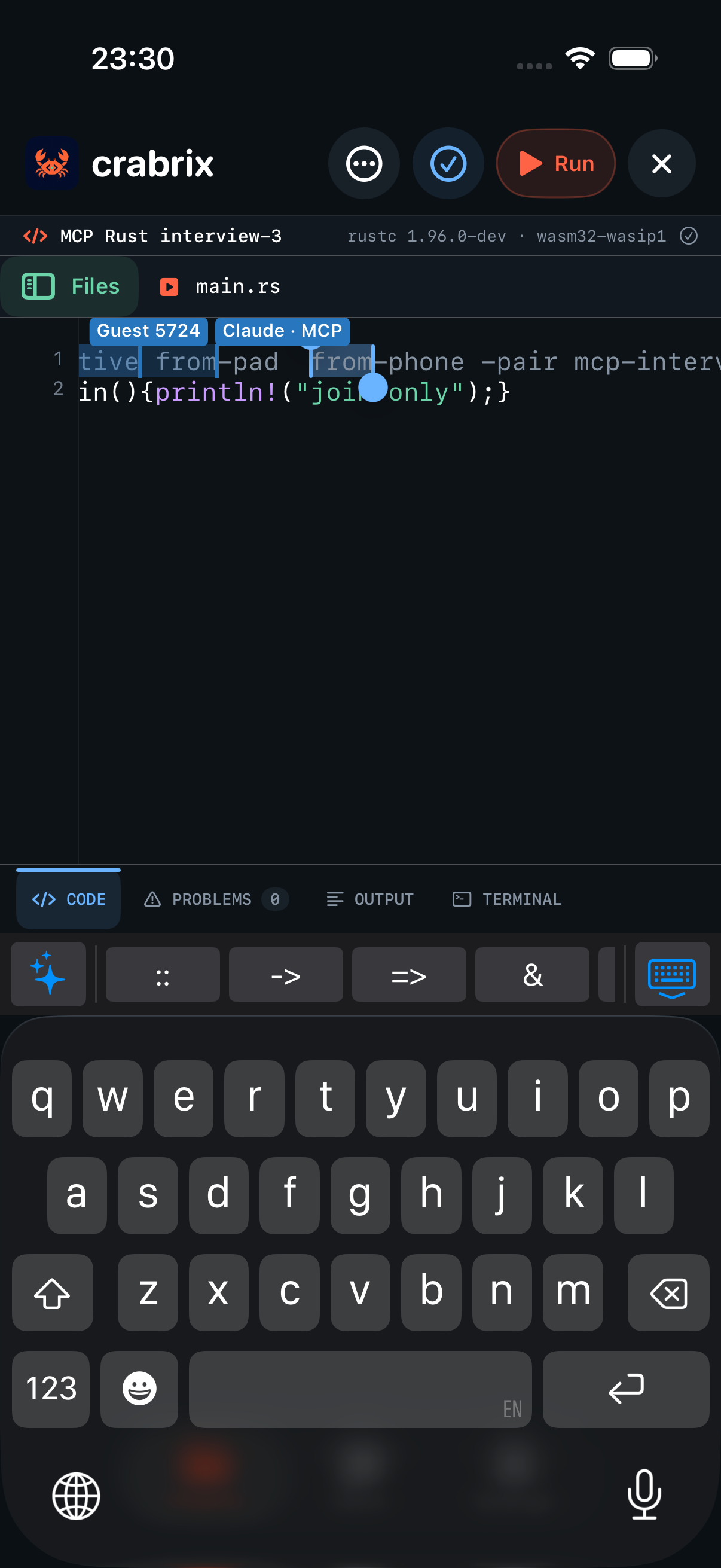
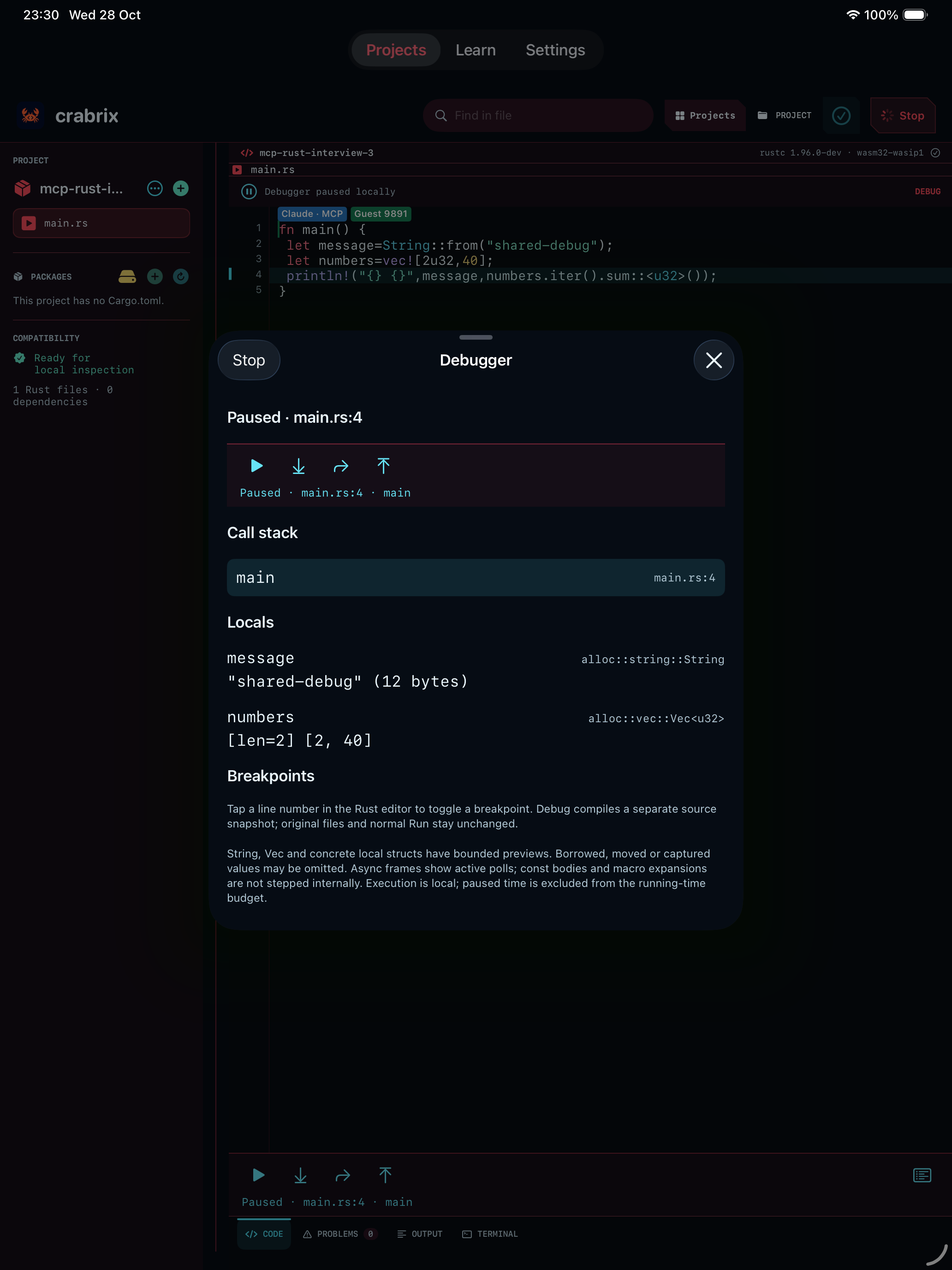
Install Node.js 22 or newer, then install the pinned release from npm. A Crabrix account is not required.
npm install -g crabrix-playground-mcp@0.2.0View the package on npm ↗. Prefer a manual setup? Download the identical archive, extract it and use node /absolute/path/package/dist/cli.mjs as your MCP command.
claude mcp add --transport stdio crabrix -- crabrix-mcpOpen Claude Code and check /mcp. For a desktop MCP client, add the equivalent entry to its MCP configuration and restart it:
{
  "mcpServers": {
    "crabrix": {
      "command": "npx",
      "args": ["-y", "crabrix-playground-mcp@0.2.0"]
    }
  }
}
This desktop configuration downloads the pinned version on first use. Use the full path to npx if your desktop app cannot find it. Claude’s MCP setup guide ↗
Open a Rust project in Crabrix, choose its Playground sharing action, and create an editable temporary link. Or open the web Playground and choose Share. Copy the entire link, including everything after #.
Give that link to Claude only when you want to grant its MCP host and model access to this room’s source. View-only links allow reading; editable links allow source changes.
Connect to this Crabrix Playground: [paste your private link]. Read the current source, add a Fibonacci function, and highlight the part you changed. Preserve everyone else’s work.
Claude appears as Claude · MCP. Watch its code and selection in the phone editor. Use Run or Debug yourself, or ask Claude to discover local clients. In Share on the selected client, compare its device/controller keys, choose operations and press Allow selected operations. Save a local copy before expiry.
The relay holds AES-256-GCM ciphertext in memory. The bridge decrypts locally using the key in your link fragment. Your MCP host and its model receive the source you ask them to read; their own data policies apply.
Up to four participants, 16 text files, 64 KiB per file and 128 KiB in total. No images, package archives or credentials are transferred. Rooms expire after the chosen lifetime; a server restart can end one earlier. There is no account storage.
crabrix_disconnect removes the bridge’s participant and releases its in-memory document. It does not close the other editors. The room creator can end the room from Share.
Ask Claude to end a bridge-created room before disconnecting if you want to close it early. An ordinary edit link does not grant ownership.
Execution stays on the selected device/browser. MCP permission starts off, lasts at most ten minutes and can be revoked. Shared execution accepts manifest-free standard-library Rust and local modules; it never attaches private project inputs or downloads packages. There is no shell, filesystem, Git push or backend execution.
Use the current web Playground or Crabrix 1.1.3 build 120 or newer. Older apps still edit source together. Names are labels: compare the full controller/device keys in Share before allowing execution. In the browser, use Check once to prepare the verified compiler yourself.
Build never runs main. Run and Debug return an owned job; your assistant reads its real status and paged output. Debug supports String, Vec and concrete local structures, stepping and breakpoints. Jobs stop after two minutes including pauses. Source changes stop stale work; backgrounding, disconnect or expiry revoke permission.
Another participant’s Run only adds a reported output preview to your Output panel. Your compiler and debugger stay idle, and the report cannot award lesson progress or verify your project. Previews are bounded and may truncate; full owned output stays on the executing client. Ordinary offline Cargo and Rust + Web keep their existing local features.
The relay carries encrypted messages only. Code, comments and program output remain untrusted project data. No arbitrary watch expressions, implicit toolchain/package downloads, private files, stdin or host environment enter the MCP execution profile.
A bundled Node executable. No Claude subscription or API key is included.
SHA-256
ce724f2d1b150010affc49c025afdf1c0a7e39be86d2abeb0c4d24dc6dcb887d