
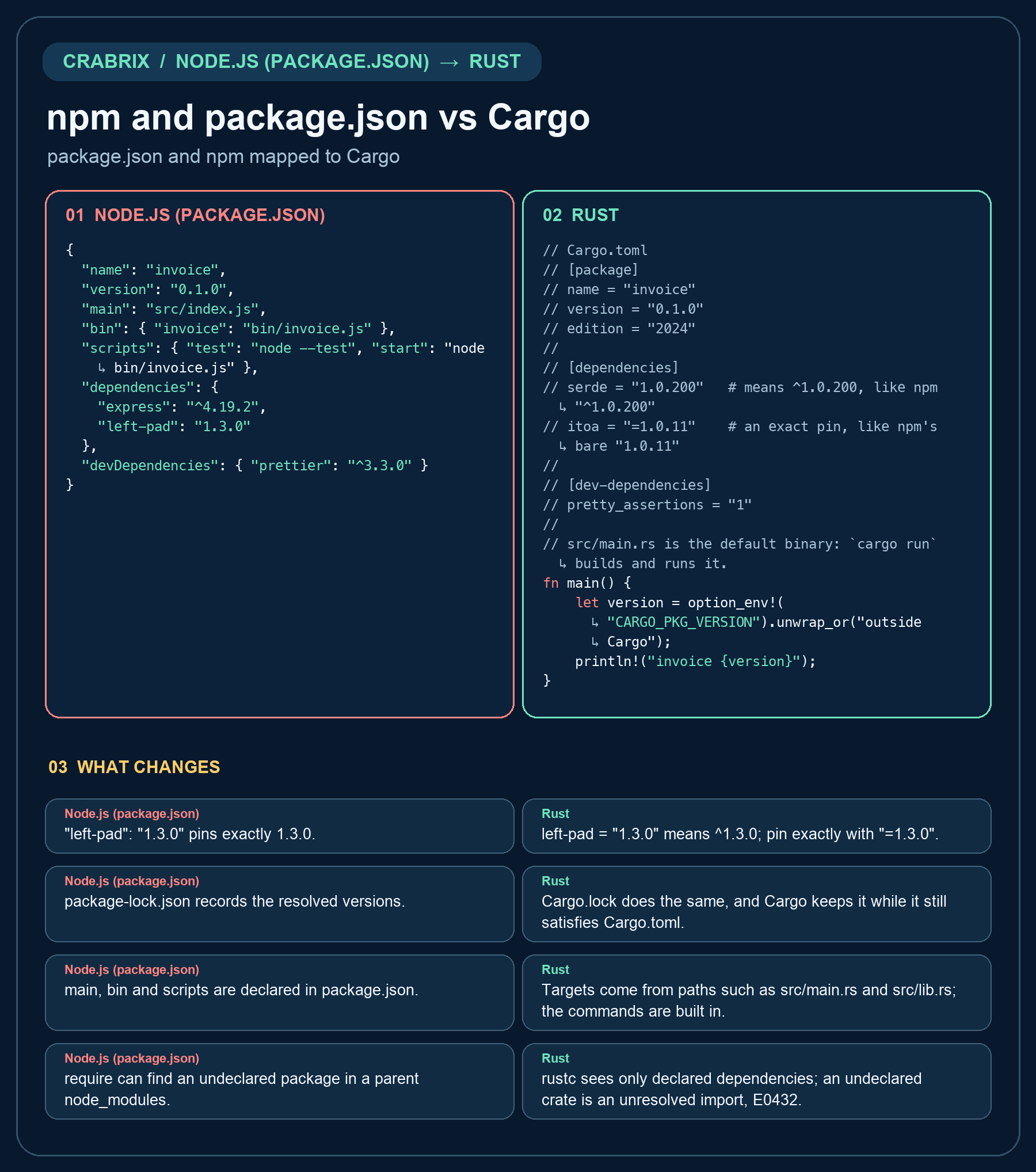
Node.js (package.json) and Rust, side by side
"1.3.0" pins exactly, ^ allows compatible updates, and scripts name the commands.{
"name": "invoice",
"version": "0.1.0",
"main": "src/index.js",
"bin": { "invoice": "bin/invoice.js" },
"scripts": { "test": "node --test", "start": "node bin/invoice.js" },
"dependencies": {
"express": "^4.19.2",
"left-pad": "1.3.0"
},
"devDependencies": { "prettier": "^3.3.0" }
}Cargo.toml, src/main.rs is the binary target, and Cargo sets CARGO_PKG_VERSION when it builds.// Cargo.toml
// [package]
// name = "invoice"
// version = "0.1.0"
// edition = "2024"
//
// [dependencies]
// serde = "1.0.200" # means ^1.0.200, like npm "^1.0.200"
// itoa = "=1.0.11" # an exact pin, like npm's bare "1.0.11"
//
// [dev-dependencies]
// pretty_assertions = "1"
//
// src/main.rs is the default binary: `cargo run` builds and runs it.
fn main() {
let version = option_env!("CARGO_PKG_VERSION").unwrap_or("outside Cargo");
println!("invoice {version}");
}| Node.js (package.json) | Rust |
|---|---|
"left-pad": "1.3.0" pins exactly 1.3.0. | left-pad = "1.3.0" means ^1.3.0; pin exactly with "=1.3.0". |
package-lock.json records the resolved versions. | Cargo.lock does the same, and Cargo keeps it while it still satisfies Cargo.toml. |
main, bin and scripts are declared in package.json. | Targets come from paths such as src/main.rs and src/lib.rs; the commands are built in. |
require can find an undeclared package in a parent node_modules. | rustc sees only declared dependencies; an undeclared crate is an unresolved import, E0432. |
Understand it
The files map closely. Cargo.toml is the manifest: [package] holds the name, version and edition, [dependencies] and [dev-dependencies] match their npm counterparts, and [build-dependencies] serve a build.rs script. Cargo.lock records the exact resolved versions, like package-lock.json; commit it for applications. Downloaded crate sources are cached once per user under ~/.cargo/registry, and build output goes to target/, so there is no node_modules directory.
The version trap: in package.json, "left-pad": "1.3.0" pins exactly that version, and only "^1.3.0" allows updates. In Cargo.toml, left-pad = "1.3.0" already means ^1.3.0, at least 1.3.0 and below 2.0.0. For 0.x versions the caret is narrower in both tools, so "0.4.1" allows >=0.4.1, <0.5.0. To pin exactly, write "=1.3.0"; most projects rely on the lockfile instead.
There is no scripts section and no main or bin field. Cargo finds targets by path: src/main.rs is the default binary, src/lib.rs the library, and each file in src/bin/ an extra binary. cargo build, cargo run, cargo test, cargo check and cargo fmt are built in; project-specific tasks usually become a small binary or an xtask crate.
Dependencies must be declared to be visible. Node resolves require("serde") by walking up the directory tree to any node_modules, so an undeclared package can work by accident. Cargo passes only the declared crates to rustc, which is why the practice code fails with E0432 instead of finding a crate that happens to be on disk. Optional functionality is chosen with features, as in serde = { version = "1", features = ["derive"] }.
The Node.js (package.json) habit, written in Rust
This is how the Node.js (package.json) version usually looks on a first attempt in Rust. Predict what rustc says before you read the explanation.
use serde::Serialize;

#[derive(Serialize)]
struct Invoice {
    total_cents: u64,
}

fn main() {
    let invoice = Invoice { total_cents: 1200 };
    println!("{}", invoice.total_cents);
}Try it
Write the Cargo.toml for an equivalent Rust project: one dependency with a compatible range, one pinned exactly, one dev-dependency, and the paths that replace main, bin and scripts.test. Then check each version requirement against the rules above.
What success looks like: Your manifest uses = only where an exact pin is intended, and you can name the default binary and library paths without looking them up.
Check your understanding
In package.json, a bare "1.3.0" pins exactly that version. What does left-pad = "1.3.0" mean in Cargo.toml?
Reveal the answer
- Exactly 1.3.0, as in npm
- Any version at all; only the lockfile decides
- Any SemVer-compatible version: at least 1.3.0 and below 2.0.0
Cargo's default requirement is the caret, so "1.3.0" means ^1.3.0. Write "=1.3.0" for an exact pin.
Go deeper
Common misconception: “serde = "1.0.200" pins serde exactly, like a bare version in package.json.”
A bare version in Cargo.toml is a caret requirement. It accepts any later 1.x release, and Cargo.lock records the one Cargo actually chose.
- Map the manifest:
[dependencies]matchesdependenciesand[dev-dependencies]matchesdevDependencies. The name, version and edition live under[package]. - Read each requirement:
serde = "1.0.200"allows>=1.0.200, <2.0.0.itoa = "=1.0.11"allows only 1.0.11, andpretty_assertions = "1"any 1.x release. - Compare with evidence: Compiled with plain rustc, the program prints
invoice outside Cargo. Built bycargo run, Cargo setsCARGO_PKG_VERSIONand it printsinvoice 0.1.0.
Transfer challenge: Create a project with cargo new invoice and run cargo add itoa. Compare the requirement written to Cargo.toml with the exact version recorded in Cargo.lock, and explain when cargo update would change it.
Connections
- try/catch vs Result: Errors as Result values
- Promises vs futures: Lazy futures and an explicit runtime
Learn this lesson with AI
Paste this into Claude, Codex, Cursor or another agent connected to Crabrix Academy. It contains only this lesson’s public details.
I'm learning Rust with Crabrix Academy. Teach me this lesson with the Crabrix Academy tools.
Lesson: npm and package.json vs Cargo (courseId "rust-for-nodejs-developers", lessonId "node-npm-to-cargo")
Link: https://crabrix.com/learn/rust-for-nodejs-developers/node-npm-to-cargo/
Goal: In Cargo.toml a bare version such as "1.3.0" is a caret requirement, >=1.3.0, <2.0.0; pin exactly with "=1.3.0", and let Cargo.lock record what was resolved.
Practice: open the starter in the Crabrix Playground (https://crabrix.com/playground/?lesson=rust-for-nodejs-developers/node-npm-to-cargo) and I will write the code there.
Explain it step by step for my level, let me write the code myself, give hints before any solution, and do not mark anything as passed: only Crabrix checks do that.