
JavaScript (Node.js) and Rust, side by side
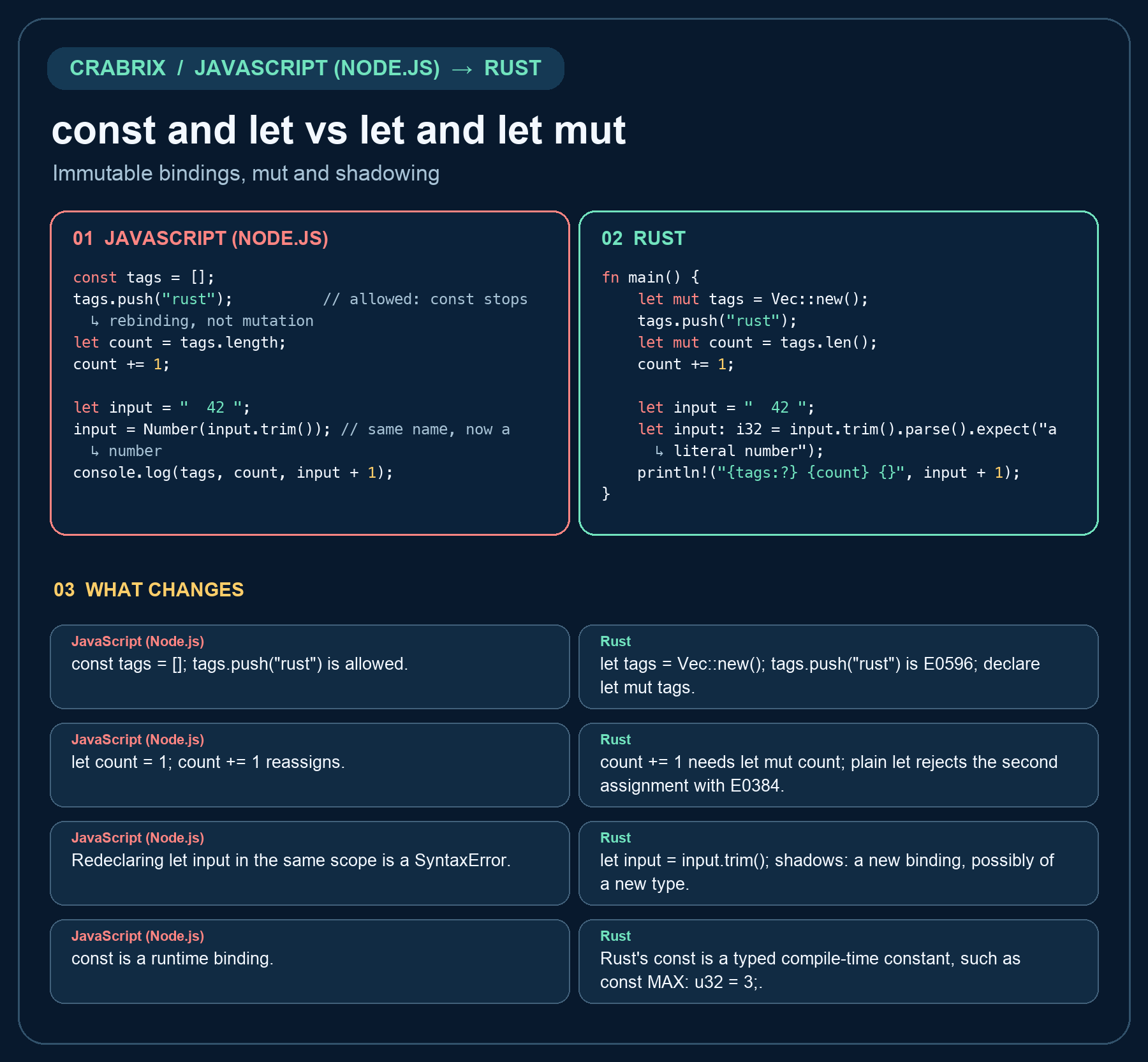
const only stops rebinding, so the array still changes, and input turns from a string into a number under the same name.const tags = [];
tags.push("rust"); // allowed: const stops rebinding, not mutation
let count = tags.length;
count += 1;
let input = " 42 ";
input = Number(input.trim()); // same name, now a number
console.log(tags, count, input + 1);mut marks what changes, and the second let input shadows the text with an i32.fn main() {
let mut tags = Vec::new();
tags.push("rust");
let mut count = tags.len();
count += 1;
let input = " 42 ";
let input: i32 = input.trim().parse().expect("a literal number");
println!("{tags:?} {count} {}", input + 1);
}| JavaScript (Node.js) | Rust |
|---|---|
const tags = []; tags.push("rust") is allowed. | let tags = Vec::new(); tags.push("rust") is E0596; declare let mut tags. |
let count = 1; count += 1 reassigns. | count += 1 needs let mut count; plain let rejects the second assignment with E0384. |
Redeclaring let input in the same scope is a SyntaxError. | let input = input.trim(); shadows: a new binding, possibly of a new type. |
const is a runtime binding. | Rust's const is a typed compile-time constant, such as const MAX: u32 = 3;. |
Understand it
In JavaScript, const protects the binding, not the value: const tags = [] can still push. Rust's let protects both. Without mut you cannot assign a new value, and you cannot call a method that needs &mut self, such as Vec::push. let mut is the explicit opt-in, so a reader finds every binding that changes by scanning for mut.
Rust also has const, but it means something else: a compile-time constant with a mandatory type, such as const MAX_RETRIES: u32 = 3;, which may live at module level. It is closer to a named literal that the compiler inlines than to a JavaScript const binding.
Shadowing replaces the common let input = ...; input = Number(input) pattern. A second let input declares a new binding that hides the first one for the rest of the scope, and it may have a different type, so let input: i32 = input.trim().parse()? turns text into a number without inventing inputText and inputNumber. The old value is not mutated; it is simply no longer reachable by that name. In JavaScript, declaring let input twice in one scope is a SyntaxError.
Mutability belongs to the binding, not to the type. Moving a value into a let mut binding makes it mutable there, and lending it out as &mut requires the owner to be mut. That is why the error for the practice code points at the declaration and suggests let mut tags.
The JavaScript (Node.js) habit, written in Rust
This is how the JavaScript (Node.js) version usually looks on a first attempt in Rust. Predict what rustc says before you read the explanation.
fn main() {
    let tags = Vec::new();
    tags.push("rust");
    println!("{tags:?}");
}Try it
Fix the practice code with one keyword, then add let tags = tags.len(); after the push and print it. Explain why that shadowing line compiles even though tags was a Vec a moment earlier.
What success looks like: You can tell which bindings change by reading the let lines alone, and you predicted E0596 before compiling.
Check your understanding
Which statement about let tags = Vec::new(); tags.push("rust"); is true?
Reveal the answer
- It compiles, but the push panics because the vector is frozen
- It compiles, exactly like
const tags = []; tags.push("rust") - rustc rejects the push: without
mut, the binding cannot be used to change the vector
push takes &mut self, and a binding declared without mut cannot lend that out. rustc reports E0596 at compile time.
Go deeper
Common misconception: “Plain let is like const: the binding is fixed, but the vector inside can still change.”
A binding without mut cannot change its value at all, including through methods that take &mut self. Declare let mut tags; types such as RefCell that allow change behind a shared reference are a separate, explicit tool.
- Read the bindings:
tagsandcountarelet mutbecause they change.inputis never mutated: it is declared twice. - Follow the shadow: The second
let input: i32reads the firstinput, a&str, on its right-hand side and then hides it. From that line on,inputis ani32. - Compare with evidence: Run it:
["rust"] 2 43. Removemutfromtagsand rustc reports E0596 at thepush, pointing at the declaration.
Transfer challenge: Write let x = 5; let x = x * 2; { let x = "inner"; println!("{x}"); } println!("{x}"); and predict both lines before running it. Then replace the second let x = x * 2 with x = x * 2 and read the error.
Connections
- console.log vs println!: Compile-time checked formatting
- Number vs Rust integer types: Explicit numeric types and overflow
Learn this lesson with AI
Paste this into Claude, Codex, Cursor or another agent connected to Crabrix Academy. It contains only this lesson’s public details.
I'm learning Rust with Crabrix Academy. Teach me this lesson with the Crabrix Academy tools.
Lesson: const and let vs let and let mut (courseId "rust-for-nodejs-developers", lessonId "node-let-const-to-let-mut")
Link: https://crabrix.com/learn/rust-for-nodejs-developers/node-let-const-to-let-mut/
Goal: let is immutable, let mut permits change, and a new let with the same name shadows the old binding.
Practice: open the starter in the Crabrix Playground (https://crabrix.com/playground/?lesson=rust-for-nodejs-developers/node-let-const-to-let-mut) and I will write the code there.
Explain it step by step for my level, let me write the code myself, give hints before any solution, and do not mark anything as passed: only Crabrix checks do that.