
JavaScript (Node.js) and Rust, side by side
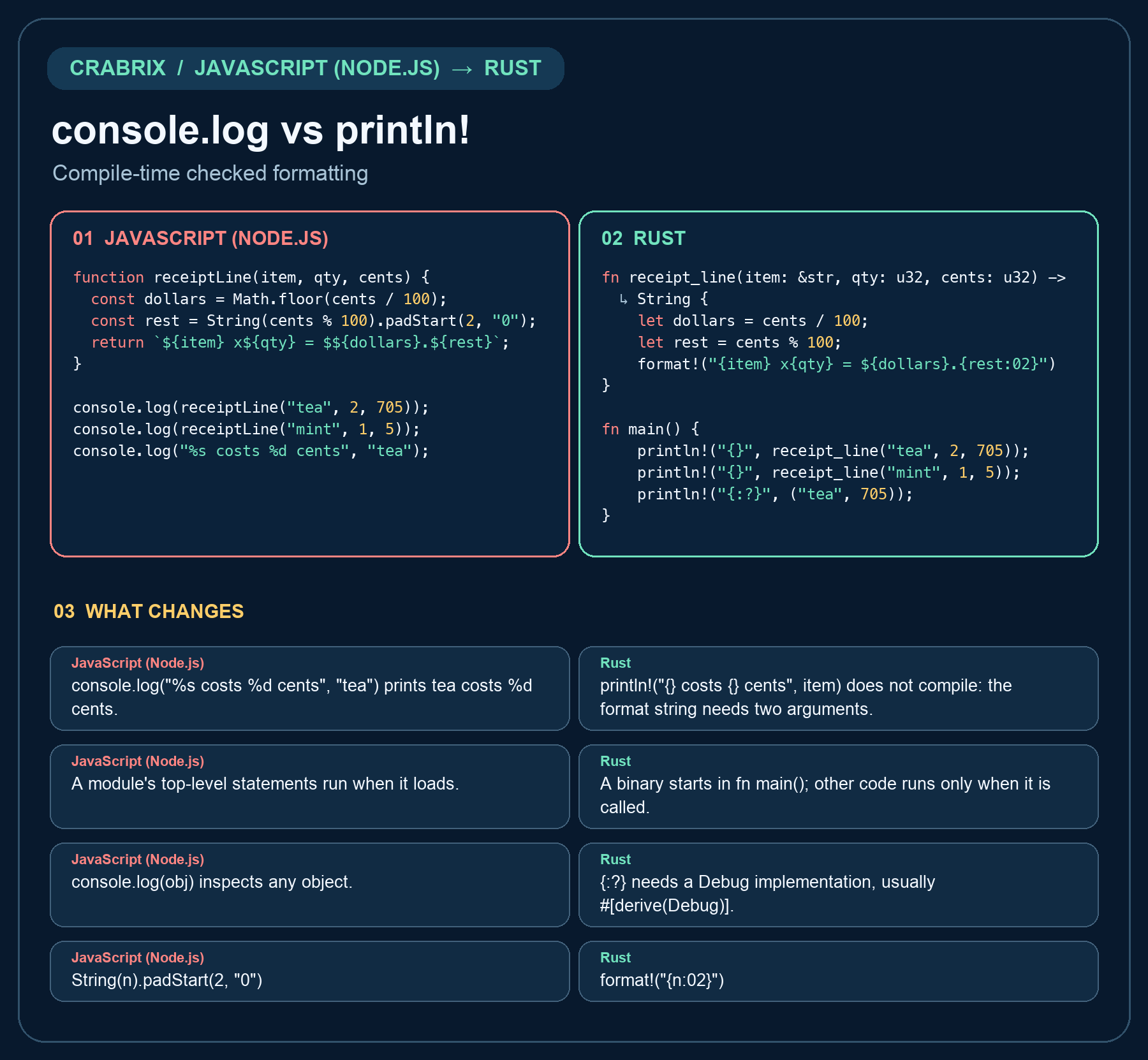
console.log checks nothing: the last call prints a literal %d.function receiptLine(item, qty, cents) {
const dollars = Math.floor(cents / 100);
const rest = String(cents % 100).padStart(2, "0");
return `${item} x${qty} = $${dollars}.${rest}`;
}
console.log(receiptLine("tea", 2, 705));
console.log(receiptLine("mint", 1, 5));
console.log("%s costs %d cents", "tea");{rest:02} does the work of padStart(2, "0"), and {:?} prints a value through Debug.fn receipt_line(item: &str, qty: u32, cents: u32) -> String {
let dollars = cents / 100;
let rest = cents % 100;
format!("{item} x{qty} = ${dollars}.{rest:02}")
}
fn main() {
println!("{}", receipt_line("tea", 2, 705));
println!("{}", receipt_line("mint", 1, 5));
println!("{:?}", ("tea", 705));
}| JavaScript (Node.js) | Rust |
|---|---|
console.log("%s costs %d cents", "tea") prints tea costs %d cents. | println!("{} costs {} cents", item) does not compile: the format string needs two arguments. |
| A module's top-level statements run when it loads. | A binary starts in fn main(); other code runs only when it is called. |
console.log(obj) inspects any object. | {:?} needs a Debug implementation, usually #[derive(Debug)]. |
String(n).padStart(2, "0") | format!("{n:02}") |
Understand it
A Node.js module runs from top to bottom, so console.log can sit anywhere at the top level. A Rust binary has no top-level statements: execution starts in fn main(), and everything else is an item, such as a function, a struct or a use declaration, that runs only when main calls it.
println! is a macro, not a function; the ! marks the call. It expands during compilation, so rustc checks the format string against the arguments before the program exists. A missing argument is a compile error, not a stray %d in the output as with console.log("%s costs %d cents", "tea"). format! builds the same text as a String instead of printing it, which is the job a template literal does in JavaScript.
Placeholders replace interpolation. {} formats with the Display trait, {name} captures a variable that is in scope, and {:?} formats with Debug. Format options cover what you used padStart and toFixed for: {rest:02} pads with zeros to width 2, {:<8} left-aligns in 8 columns and {:.2} prints two decimals. console.log inspects any object; a Rust type prints with {:?} only if it implements Debug, usually through #[derive(Debug)].
println! writes to stdout and eprintln! to stderr, the counterparts of console.log and console.error. Neither is a way to hand data back from a function. Return a String and let the caller decide where it goes, which is also what makes the lab's clock function testable.
The JavaScript (Node.js) habit, written in Rust
This is how the JavaScript (Node.js) version usually looks on a first attempt in Rust. Predict what rustc says before you read the explanation.
fn main() {
    let item = "tea";
    println!("{} costs {} cents", item);
}Try it
Port the JavaScript clock shown at the top of solution.rs: whole seconds become minutes:seconds, with the seconds always two digits (125 becomes 2:05). Return the String; do not print it. In the Crabrix app, open the compiler lab and complete the supplied function in solution.rs. The reading question is a separate exercise.
What success looks like: The local compiler accepts the changed solution and the separate verification harness passes every case, including 0 and single-digit seconds. Printing a success message alone does not complete this lab.
Check your understanding
When does rustc report that println!("{} costs {} cents", item) is missing an argument?
Reveal the answer
- When that line runs, like a
TypeError - During compilation, while the macro expands
- Never: the extra placeholder prints literally, as with
console.log
The format string is checked while println! expands, so a program with the mismatch is never built.
Go deeper
Common misconception: “println! is Rust's console.log: it formats whatever it is given at runtime.”
println! is a macro that rustc expands and checks at compile time. Placeholders must match the arguments, and each argument must implement the trait its placeholder asks for: Display for {}, Debug for {:?}.
- Find the entry point: There is no top-level code.
maincallsreceipt_linetwice and prints each returnedStringwith{}. - Read the placeholders:
{item}and{qty}capture variables by name.${dollars}is a literal$followed by the{dollars}placeholder, and{rest:02}pads5to05. - Compare with evidence: Run it:
tea x2 = $7.05,mint x1 = $0.05, then("tea", 705)from{:?}on a tuple. Remove:02and the second line becomes$0.5.
Transfer challenge: Add #[derive(Debug)] struct Line { item: String, cents: u32 }, print one value with {:?} and then with {:#?}. Delete the derive and read which trait rustc says is missing.
Connections
- TypeScript types vs Rust types: Types the compiler enforces, and its diagnostics
- const and let vs let and let mut: Immutable bindings, mut and shadowing
Learn this lesson with AI
Paste this into Claude, Codex, Cursor or another agent connected to Crabrix Academy. It contains only this lesson’s public details.
I'm learning Rust with Crabrix Academy. Teach me this lesson with the Crabrix Academy tools.
Lesson: console.log vs println! (courseId "rust-for-nodejs-developers", lessonId "node-console-log-to-println")
Link: https://crabrix.com/learn/rust-for-nodejs-developers/node-console-log-to-println/
Goal: Execution starts in fn main(); println! and format! are macros whose placeholders are checked during compilation.
Practice: open the starter in the Crabrix Playground (https://crabrix.com/playground/?lesson=rust-for-nodejs-developers/node-console-log-to-println) and I will write the code there.
Explain it step by step for my level, let me write the code myself, give hints before any solution, and do not mark anything as passed: only Crabrix checks do that.