
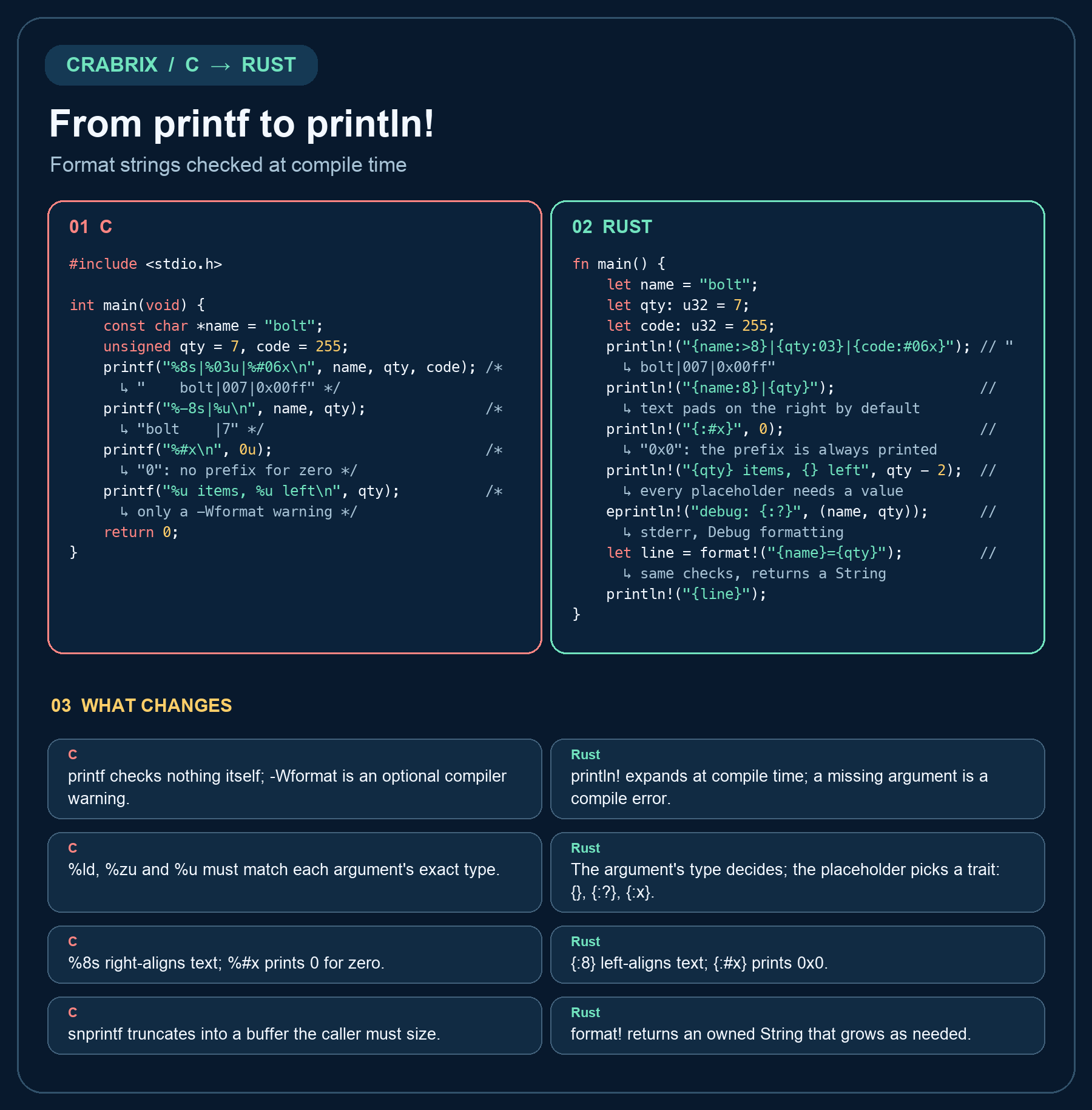
C and Rust, side by side
-Wformat warning and reads an argument that was never passed.#include <stdio.h>
int main(void) {
const char *name = "bolt";
unsigned qty = 7, code = 255;
printf("%8s|%03u|%#06x\n", name, qty, code); /* " bolt|007|0x00ff" */
printf("%-8s|%u\n", name, qty); /* "bolt |7" */
printf("%#x\n", 0u); /* "0": no prefix for zero */
printf("%u items, %u left\n", qty); /* only a -Wformat warning */
return 0;
}
eprintln! for stderr and format!, which returns a String instead of writing into a buffer.fn main() {
let name = "bolt";
let qty: u32 = 7;
let code: u32 = 255;
println!("{name:>8}|{qty:03}|{code:#06x}"); // " bolt|007|0x00ff"
println!("{name:8}|{qty}"); // text pads on the right by default
println!("{:#x}", 0); // "0x0": the prefix is always printed
println!("{qty} items, {} left", qty - 2); // every placeholder needs a value
eprintln!("debug: {:?}", (name, qty)); // stderr, Debug formatting
let line = format!("{name}={qty}"); // same checks, returns a String
println!("{line}");
}
| C | Rust |
|---|---|
printf checks nothing itself; -Wformat is an optional compiler warning. | println! expands at compile time; a missing argument is a compile error. |
%ld, %zu and %u must match each argument's exact type. | The argument's type decides; the placeholder picks a trait: {}, {:?}, {:x}. |
%8s right-aligns text; %#x prints 0 for zero. | {:8} left-aligns text; {:#x} prints 0x0. |
snprintf truncates into a buffer the caller must size. | format! returns an owned String that grows as needed. |
Understand it
printf is an ordinary variadic function. The compiler passes whatever arguments you wrote, and the C library reads them back according to the format string at run time. Clang and GCC compare the two as a courtesy (-Wformat), but a mismatch is still valid C with undefined behaviour: the second %u in the example reads an argument that was never passed.
println!, print!, eprintln! and format! are macros, which is what the ! means. They expand during compilation, so rustc sees the format string and every argument together. One placeholder too many is a compile error. Each value must also implement the trait its placeholder asks for: Display for {}, Debug for {:?}, LowerHex for {:x}. There are no length modifiers such as %ld or %zu, because the argument's type already says how wide it is.
The flags map closely: {:>8} is %8s, {:03} is %03u, {:#06x} is %#06x and {:.2} is %.2f. Two defaults differ. A bare width pads text on the right ({:8} behaves like %-8s) while numbers still pad on the left, and # always prints the 0x prefix, even for zero, where C prints plain 0. A variable in scope can be named inside the braces, as in {qty}.
Execution still starts in fn main(). println! writes a line to stdout and eprintln! to stderr. format! returns the text as an owned String instead of filling a caller-sized buffer, so there is no snprintf truncation to check.
The C habit, written in Rust
This is how the C version usually looks on a first attempt in Rust. Predict what rustc says before you read the explanation.
fn main() {
    let qty = 7;
    println!("{} items, {} left", qty);
}
Try it
Port the commented C snprintf call: label returns the name right-aligned in 8 columns, the quantity zero-padded to 3 digits and the code as 0x-prefixed hex zero-padded to width 6, separated by |. Keep Rust's prefix for zero (0x0000).
What success looks like: label("bolt", 7, 255) returns bolt|007|0x00ff, longer names are never cut, and a zero code prints as 0x0000.
Check your understanding
The practice program has two {} placeholders and one argument. What happens?
Reveal the answer
- It prints
7 items, leftand continues - It compiles with a warning, like
-Wformat - rustc rejects it while expanding the macro, before any code runs
- It panics at run time when it reaches the second placeholder
println! is expanded during compilation, so rustc counts placeholders against arguments and stops with 2 positional arguments in format string, but there is 1 argument.
Go deeper
Common misconception: “println! is Rust's printf, so a wrong argument shows up as garbage output.”
println! is a macro that rustc expands and type-checks. A missing argument, an extra argument or a value without the requested trait (for example {} on a type without Display) stops the build. Garbage output from a mismatched format is not possible in safe Rust.
- Match the flags: Pair each C conversion with its Rust placeholder:
%8sbecomes{:>8},%03ubecomes{:03},%#06xbecomes{:#06x}. - Check the defaults: Look for bare widths on text and
#on values that may be zero; those are the two places a literal translation changes the output. - Let rustc count: Remove one argument from a
println!and read the error: the format string is checked as part of compilation.
Transfer challenge: Print a u64 byte count with {:>12} and the same value with {:e}. Then try {:x} on an f64 and read which trait rustc says is missing.
Connections
- Reading rustc Diagnostics: Compile-time errors instead of run-time crashes
- const by Default: Immutable bindings, mut and shadowing
Learn this lesson with AI
Paste this into Claude, Codex, Cursor or another agent connected to Crabrix Academy. It contains only this lesson’s public details.
I'm learning Rust with Crabrix Academy. Teach me this lesson with the Crabrix Academy tools.
Lesson: From printf to println! (courseId "rust-for-c-developers", lessonId "c-printf-to-println")
Link: https://crabrix.com/learn/rust-for-c-developers/c-printf-to-println/
Goal: println! is a macro: placeholders and arguments are matched during compilation, so a missing or mistyped argument is a compile error, not undefined behaviour.
Practice: open the starter in the Crabrix Playground (https://crabrix.com/playground/?lesson=rust-for-c-developers/c-printf-to-println) and I will write the code there.
Explain it step by step for my level, let me write the code myself, give hints before any solution, and do not mark anything as passed: only Crabrix checks do that.