

Understand it
Members share a target directory and lockfile, while the resolver may still select multiple versions of a dependency when requirements are incompatible. Splitting a project into a library plus a thin binary is the usual first move, because it makes the library testable on its own.
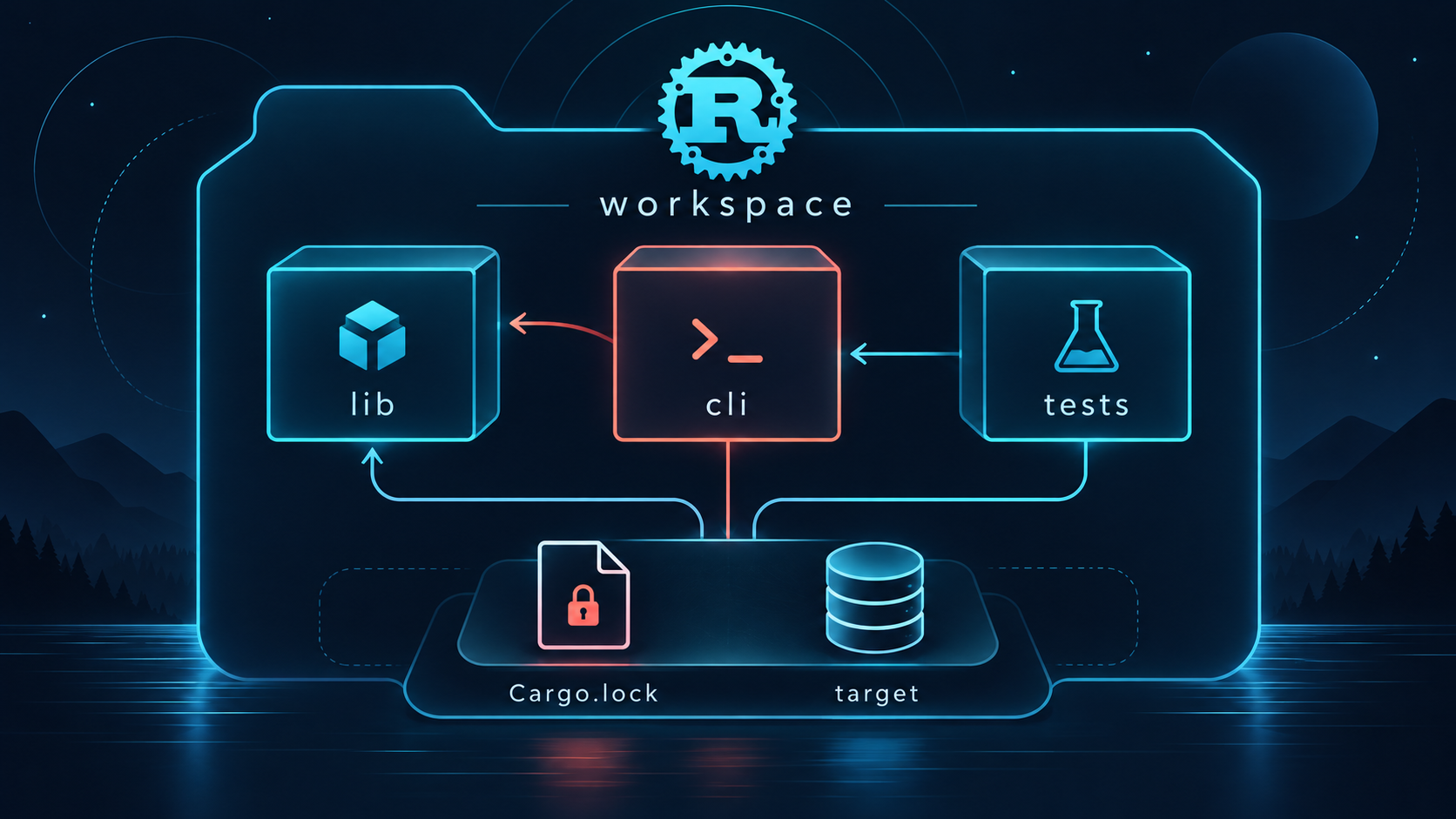
A Cargo workspace groups packages that are developed together. A root Cargo.toml lists members such as core and cli; the packages share a lockfile and build output directory, and workspace commands can operate across members. A common design puts reusable behavior in a library and keeps the binary thin: the CLI parses arguments, calls library functions, and prints a result. This makes the core easier to test and reuse.
The example's dependency path from cli to core is explicit in the CLI manifest. Being in the same workspace does not automatically make every crate visible to every other crate. Nor does it guarantee there is only one version of every external package: incompatible requirements can still resolve to multiple versions. The shared lockfile records the actual graph. Use cargo tree when you need to inspect it rather than assuming deduplication.
Create a workspace with two members, add a public function to the library, and call it from the CLI. Run cargo test --workspace to exercise all members. Then add a test that calls the library directly and compare it with a CLI-level test. The workspace boundary is a useful organizational choice when packages have separate purposes or release needs. Splitting every file into a crate would add manifest and versioning overhead without improving the design. Start with a clear library/binary split when that split reflects a real responsibility.
A workspace is also a convenient boundary for coordinated checks: formatting, linting, and tests can cover all members together while each package keeps its own public API and dependencies.
Read the code
# Cargo.toml at the workspace root
[workspace]
resolver = "3"
members = ["core", "cli"]

# cli/Cargo.toml
[dependencies]
core = { path = "../core" }
One root manifest, many members, one shared lockfile.
Practice starter
[workspace]
resolver = "3"
members = ["core", "cli"]
Try it
Describe how you would split a project into a library and a binary.
What success looks like: The library holds the logic and the binary only wires it up.
Check your understanding
What do the members share?
Reveal the answer
- Nothing, they are independent
- One lockfile and one target directory
- Their source files
The members resolve together into one Cargo.lock, and a shared target directory reuses build output. Incompatible requirements can still select two versions of a dependency.
Go deeper
Common misconception: “A workspace guarantees one version of every dependency.”
Members share one lockfile, not one version: incompatible requirements still resolve to several versions, and cargo tree shows them.
- Read the root:
[workspace]listscoreandclias members, andresolver = "3"sets the dependency resolver they all use. - Follow the path:
cli/Cargo.tomlnamescorewith apath. Being a member does not make one crate visible to another; this line does. - Find the shared files: A workspace build writes one
Cargo.lockand onetarget/at the root, not one per member.
Transfer challenge: Give core and cli different major versions of the same dependency. Predict how many entries Cargo.lock holds for it, then confirm with cargo tree.
Connections
- Dependencies: crates.io, SemVer, and features
- Box<T>: Heap allocation and recursive types
Learn this lesson with AI
Paste this into Claude, Codex, Cursor or another agent connected to Crabrix Academy. It contains only this lesson’s public details.
I'm learning Rust with Crabrix Academy. Teach me this lesson with the Crabrix Academy tools.
Lesson: Workspaces (courseId "projects", lessonId "workspaces")
Link: https://crabrix.com/learn/projects/workspaces/
Goal: Workspace members share one lockfile, which records every resolved version; incompatible requirements can still select several.
Practice: give me the lesson's exercise (crabrix_academy_get_exercise); I will write and run the code in Crabrix.
Explain it step by step for my level, let me write the code myself, give hints before any solution, and do not mark anything as passed: only Crabrix checks do that.