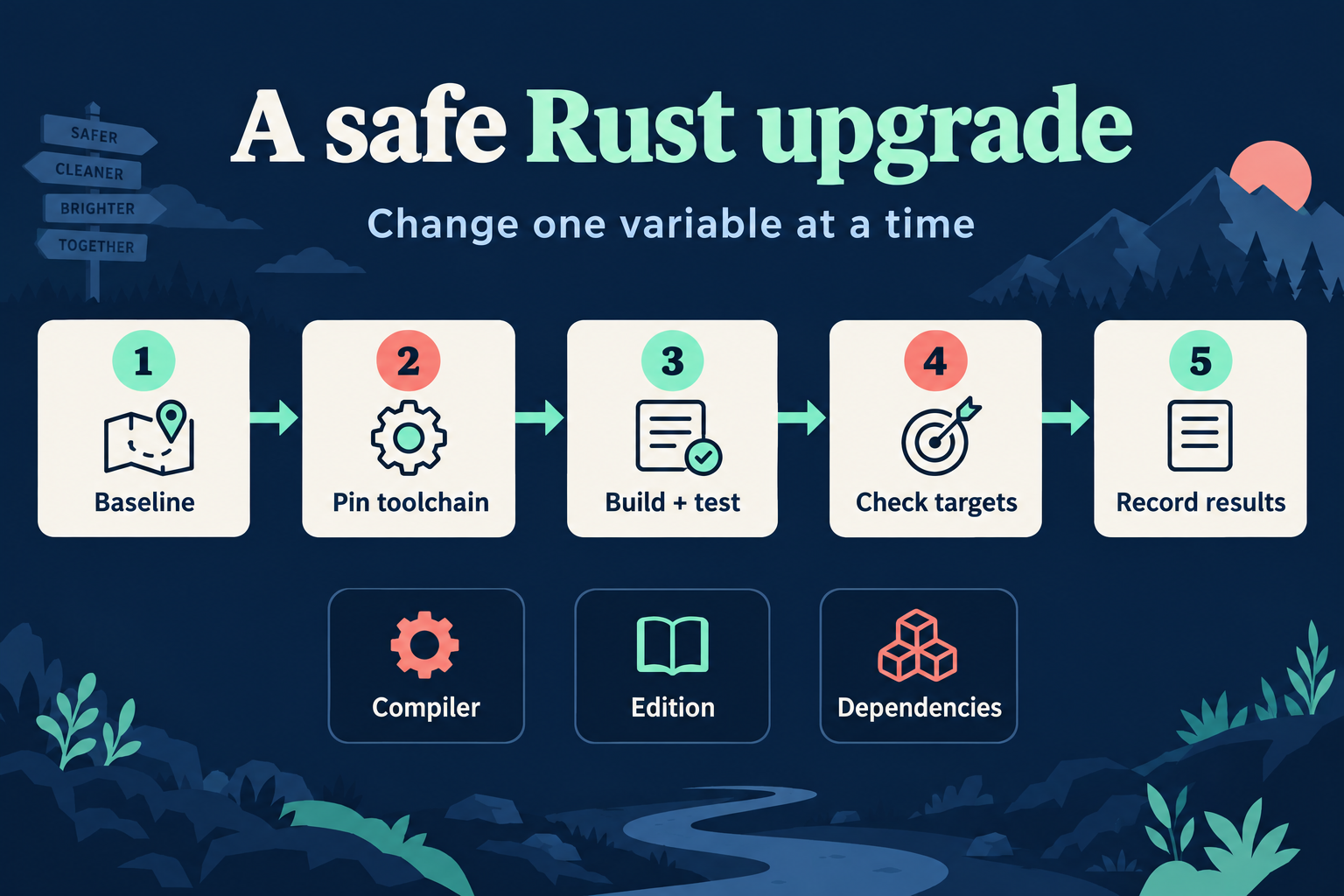
A practical upgrade guide: separate compiler releases from editions and dependencies, establish a baseline, test the targets you actually ship, and know what Rust 1.99 changes.
2026-10-10 · 10 min read
Start with the problem you want to solve
A compiler upgrade is easier to evaluate when it answers a concrete question. Perhaps a dependency needs a newer compiler. Perhaps a diagnostic could help a teammate understand a failure. Perhaps you want to stay on the supported stable release. Write that reason down before changing files. It will help you distinguish a successful upgrade from an unrelated refactor that happened during the same afternoon.
As of 10 October 2026, Rust 1.99.0 is the current stable release, announced on 1 October. This article uses that version as the destination for an existing project. The process is deliberately small: record a baseline, select the new toolchain, run meaningful checks, investigate differences, and keep evidence. You can repeat those steps for the next release without inventing a fresh upgrade ritual.
An upgrade is a maintenance task: keep the old baseline, check the new result, and record what changed.
Rust 1.99 stabilises defining C-ABI variadic functions, alongside APIs for inspecting layout through raw pointers and additional standard-library operations. The release also revises guidance for leaking and later reclaiming allocations: code intending to recover ownership should use an ownership-transfer API rather than treating a leaked reference as a temporary detour. These are relevant changes for low-level libraries, but they are not an instruction to add unsafe code to an ordinary application.
For a learning project, the useful first question is whether any change touches your source or dependencies. A command-line parser using owned strings does not automatically need a C variadic function. Make a short impact note: affected directly, affected through a dependency, or no known direct effect. Then test that note. This keeps a release announcement from turning into a shopping list of features your project does not need.
Compiler, edition and dependencies are separate decisions
Updating the compiler does not itself rewrite the edition declared in your package. The edition controls language compatibility choices for that package; the compiler version selects the toolchain that builds it. Dependency requirements and the resolved dependency graph are another concern. Put all three on separate lines in your upgrade note. If you change them together, a new error can have several plausible causes before you have even read it.
For the first pass, keep the existing edition and dependency lockfile. Use the new compiler against the source graph you already understand. If an edition migration is also valuable, do it as a later change with its own checks. The Edition Guide describes migration tooling such as cargo fix --edition, but automatic source edits still deserve review. For example, review generated fixes in a small function before accepting them across a large workspace.
Hold the edition and dependency graph steady while checking the compiler upgrade. Migrate them separately when needed.
Before switching toolchains, run the project in the way a person uses it. For a small text analyser, keep three fixtures: normal input, empty input, and malformed input. Save the expected output and exit status for each. Also record the compiler version and the exact commands you used. A screenshot of a green terminal is less useful than a reproducible command and a fixture that demonstrates the behaviour you care about.
Keep the baseline narrow enough to repeat. If the application is supposed to count Unicode characters, include a word containing a multibyte character. If it rejects negative quantities, include a negative quantity. These checks belong to the product contract, so they remain meaningful even when implementation details change. If the baseline already fails, investigate that failure before describing a later failure as an upgrade regression. You need a known starting point to make that claim.
rustc --version --verbose
cargo test --locked
cargo run --locked -- fixtures/normal.txt
cargo run --locked -- fixtures/empty.txt
Pin the destination and keep the dependency graph stable
For a desktop project managed by rustup, install the destination toolchain and invoke it explicitly. This lets you compare old and new compilers without changing the default for unrelated projects. Once the upgrade is accepted, a project toolchain file can communicate the chosen version to other contributors. Record any required targets or components as part of that environment, rather than expecting every machine to have the same global setup.
The manifest describes dependency requirements, while Cargo.lock records a resolved set of versions and sources. Keep that lockfile during the initial comparison. --locked asks Cargo to reject a build that would need to change it; it does not promise that every platform-specific input is identical. If the upgrade requires a dependency adjustment, make that adjustment visible and explain why. A reviewable two-file change is easier to reason about than a mysterious regenerated dependency graph.
A successful check tells you that the selected source can be type-checked under the selected configuration. Tests tell you what your assertions exercised. A real application run tells you whether its entry point, input handling and output fit together. Treat those as different pieces of evidence. For the text analyser, a unit test of the counting function is useful, but it does not prove that a filename with spaces is handled correctly by the command-line interface.
Choose a small verification table with a question beside every command. Does the library still build? Do examples still compile? Does invalid input produce the intended error? Does the shipping target still work? If a command has no clear question, it may be adding noise. Conversely, if an important behaviour has no evidence, add a check for that behaviour. The goal is a persuasive upgrade record, not the longest possible command transcript.
cargo +1.99.0 check --all-targets --locked
cargo +1.99.0 test --locked
cargo +1.99.0 test --doc --locked
cargo +1.99.0 fmt --check
Investigate a difference before changing the code
Suppose the new compiler reports a warning in a helper function. Read its location and explanation, then isolate the smallest relevant expression. Ask whether the source has a real ambiguity, whether a lint changed, or whether a dependency exposes the warning. Do not immediately suppress it across the entire crate. A local explanation gives future readers something they can evaluate; a blanket allowance removes information from places you have not inspected.
For a changed runtime result, compare the same fixture under both toolchains. Remove unrelated formatting edits from the comparison. If the difference survives in a small example, you now have something useful for a bug report or a dependency issue. If it disappears when you restore the lockfile, the compiler was probably not the only variable. Write the observed condition precisely: which target, which input, which command and which result differed. That precision saves repeated guesswork.
Decide what your minimum supported Rust version means
An application can choose to build with a recent pinned compiler while a library may support older consumers. The rust-version manifest field communicates the minimum supported toolchain for a package. Using a newly stabilised API can raise that minimum even if the overall design has not changed. If your package advertises an older version, actually test the supported configuration before publishing an upgrade that relies on a new feature.
Write the support decision for your audience. A private learning tool might simply require the selected release. A reusable library may need to preserve an older minimum until its users can update. Avoid treating the version field as decoration: it is a statement other people use when selecting dependencies. Keep the policy short enough to follow, and separate a minimum-version increase from a compiler maintenance update in your release notes.
A successful desktop build is evidence for that desktop environment. It does not establish that a WebAssembly target, a phone sandbox or a different operating system behaves identically. Keep platform checks tied to actual requirements: filesystem paths, available imports, memory limits and package build requirements. A dependency can compile on your laptop and still require capabilities that an on-device environment does not provide. Target compatibility is a separate part of the upgrade decision.
Crabrix bundles its compiler in the application. Reading a new Rust release article does not update that bundled compiler, and a website account does not change it either. Check the compiler and target shown by your installed app. Use the app for examples supported by that environment, and validate desktop release-specific experiments on the corresponding desktop toolchain. This distinction makes lesson results easier to interpret and prevents a new language feature from looking like an unexplained editor failure.
Treat performance as an experiment
A compiler upgrade may change build time or runtime performance, but a single stopwatch reading is a weak comparison. Start by naming the workload. For the text analyser, choose a fixed input file, the same output mode and the same build profile. Record whether the build cache is warm or cold. A faster cached build and a slower clean build can both be true, because they measure different work. Keep those conditions beside the results so a teammate can reproduce the comparison.
Run the selected workload several times under comparable conditions and check its output each time. A programme that finishes faster because it skips a required operation has not improved the task you meant to measure. Separate an observation from an explanation: this command took less time is an observation; this optimiser change caused it is a hypothesis that needs more evidence. If the difference is too small or inconsistent to distinguish from normal variation, say that. You can accept an upgrade for compatibility or maintenance reasons without claiming a performance benefit you have not established.
Keep a short acceptance record
Finish with a record another developer can use tomorrow. State the old and new compiler versions, the retained edition, whether the lockfile changed, the targets checked, the fixtures run and any remaining limitation. Include the reason for the upgrade from the first section. If a check was skipped because the target was unavailable, say so directly. An honest gap is more useful than a broad claim that everything is compatible.
For your next practice session, take a small existing Rust project and write the baseline before touching its configuration. Then change only the compiler selection and rerun the same commands. Explain one result in plain language: what did that check prove, and what did it leave untested? That habit scales from a five-line lesson to a maintained application. New releases become manageable changes when you can connect each decision to a concrete observation.